Two-factor authentication
Protect withdrawals and account deletion with codes from an authenticator app.
Two-factor authentication (2FA) adds a second check to the actions that move money out of your account. Hexa uses time-based one-time codes (TOTP) from an authenticator app such as Google Authenticator, 1Password, Authy or Bitwarden.
What it protects
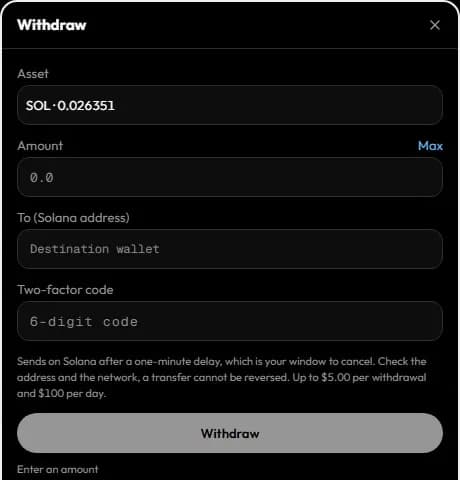
- Withdrawals: every withdrawal needs a fresh code. Withdrawals are refused until 2FA is on.
- Deleting your account asks for a code when 2FA is on.
Turn it on
Open the Withdraw dialog
Open the wallet (Deposit in the top bar) and choose Withdraw. If 2FA is off, the dialog starts with setting it up.
Add Hexa to your authenticator
Scan the QR code with your authenticator app, or type the secret shown under it. The entry appears as Hexa.
Confirm
Enter the 6-digit code the app shows. Two-factor is now on for your account.
Keep a backup of your authenticator
Hexa doesn't issue backup or recovery codes, and 2FA can't be turned off from the app. Use an authenticator that backs up or syncs across your devices. If you lose access to your codes, contact support from the email you sign in with.
Good to know
- Codes change every 30 seconds; Hexa accepts the current code with a short margin for clock drift. Each code can be used once.
- Your 2FA secret is stored encrypted.
- Hexa staff will never ask for your codes, your sign-in codes or for you to send funds.