Trackers and notifications
Follow wallets, X accounts and Telegram channels, group what you follow, and get alerts in the app, in your browser or on Telegram.
Wallet tracker
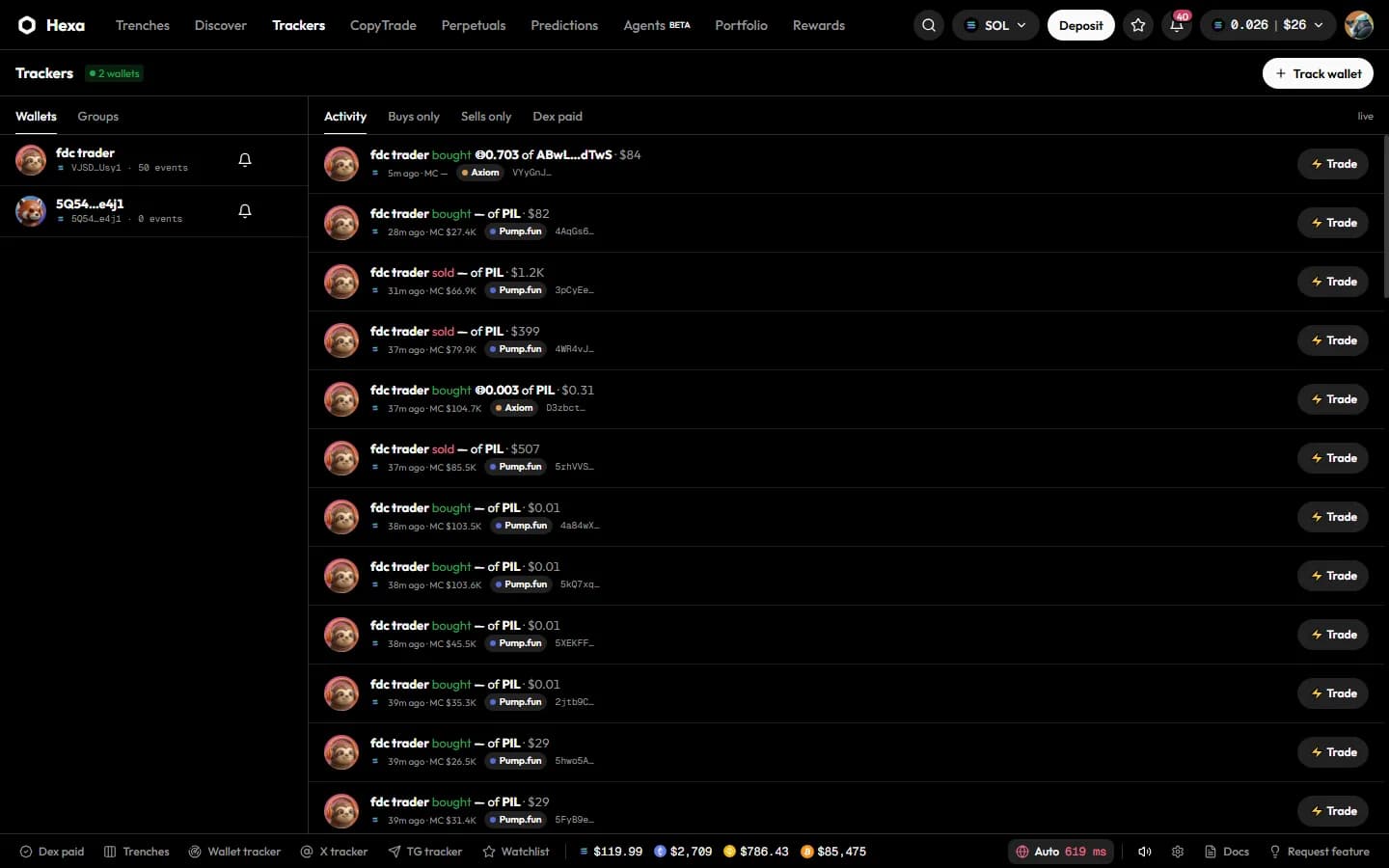
Trackers (top bar, or Wallet tracker in the bottom bar) shows a live feed of the trades made by wallets you follow, on every chain Hexa supports.
Track a wallet
Press Track wallet
Choose the chain (SOL, BSC, BASE, ETH, HOOD or ARC) and paste the Wallet address.
Name and group it
Add a Label (optional) and pick a group, or leave it in No group.
Choose alerts
Tick Buys, Sells and Sound, and set a min $ so only trades above that size alert you. Press Track.
You can also press Track next to a wallet in a token page's Holders or Top traders tab.
The feed
- Filter with Activity, Buys only, Sells only or Dex paid.
- Every row has ⚡ Trade to open the token and act fast; Load more goes further back.
- In the side panel (Wallets / Groups), the bell mutes or unmutes a wallet's alerts and the trash button stops tracking it.
Groups
Under Groups, type a name in New group and press Add. Deleting a group keeps its wallets; they just become ungrouped.
Limits
The number of wallets you can track depends on your rewards tier:
| Tier | Tracked wallets |
|---|---|
| Bronze | 50 |
| Silver | 100 |
| Gold, Diamond, Hexa | 200 |
Wallets you copy count towards the limit.
X and Telegram trackers
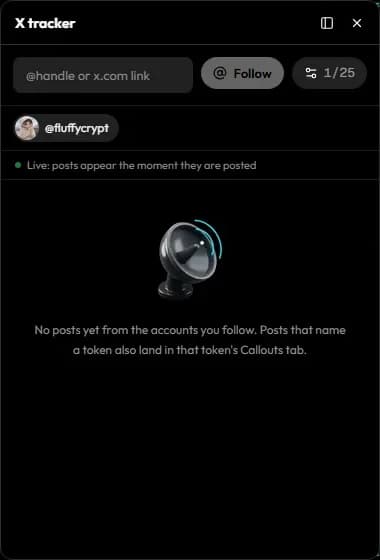
The X tracker and TG tracker buttons in the bottom bar follow X accounts and Telegram channels. Enter an @handle or x.com link, or a channel username or t.me link, and press Follow. New posts arrive in the feed within about ten minutes.
Notifications
Open Settings (the gear in the bottom bar) and scroll to Notifications.
| Channel | How to turn it on |
|---|---|
| In the app | Always on: toasts, the bell and sounds |
| Browser push | Switch it on and press Enable here on each browser you want alerts in, then allow notifications when the browser asks |
| Telegram | Press Connect; a one-time link opens the Hexa bot. Press Start in Telegram within 10 minutes. Send /stop to the bot to disconnect |
Then choose what you hear about: Fills, Orders, Tracked wallets, Copy trading, Alerts, Rewards, AI agents and System. Set Quiet hours (22:00 to 07:00 by default, your local time) to pause pushes overnight; the bell still collects everything. Send test checks the setup, and Save settings keeps your choices.
Sounds
Under Settings → Sounds, turn trade and notification sounds on or off, set their volume and pick a voice (pop, bell, coins, boom or kaching).