Getting started
Sign in, fund your wallet and place your first trade in a few minutes.
1. Sign in
Press Sign up (or Sign in) in the top bar and choose one of:
| Method | How it works |
|---|---|
| Enter your email and type the 6-digit code we send you. The code is valid for 10 minutes | |
| Sign in with your Google account | |
| Telegram | Confirm with the Telegram login widget |
| Connect wallet | Sign a message with a Solana or EVM wallet. No transaction, no fee |
There are no passwords. If a friend invited you, enter their referral code in the same dialog (or open their invite link) before you sign up; it can only be applied to a new account.
Use one sign-in method
Your account and its wallets belong to the sign-in you created them with. Google with the same email address reaches the same account as an email sign-in; a Telegram or wallet sign-in creates a separate account. Pick one method and keep using it.
2. Your wallets
Hexa creates your wallets when you sign up: one Solana address and one EVM address that works on BNB Chain, Base, Ethereum, Robinhood Chain and Arc (and on Arbitrum and Polygon for perpetuals and predictions). They are embedded wallets secured by Privy and linked to your account; Hexa never sees your private key. Read Security and custody for what that means.
3. Deposit
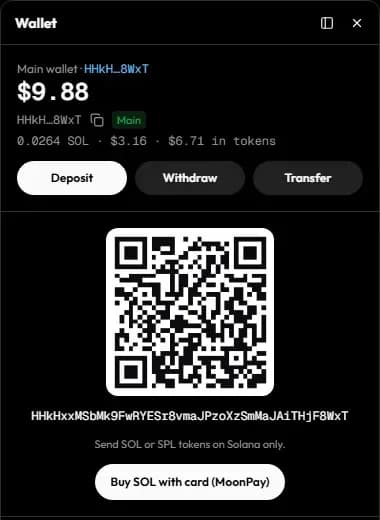
Press Deposit in the top bar, pick the chain and send funds to the address shown, or buy with a card where it's offered. Deposits are credited once final on-chain. See Deposits.
4. Find a token
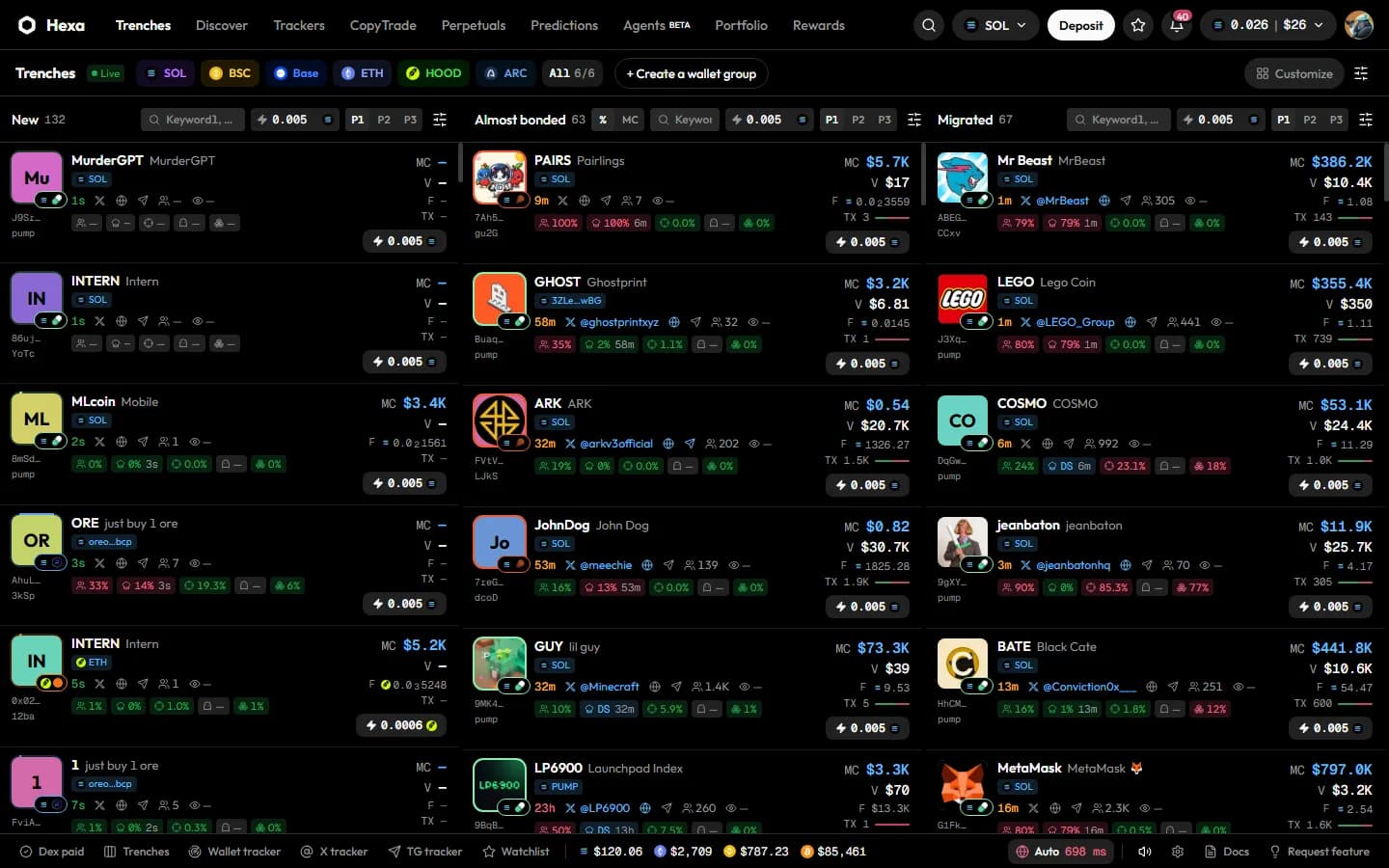
- Trenches shows tokens as they launch, approach graduation and migrate. See Trenches.
- Discover ranks what's trending right now.
- Press / or Ctrl+K (⌘K) to search by name, ticker or contract address.
5. Place your first trade
Check your preset
The active preset (P1, P2 or P3) sets slippage and, on Solana, priority fee, tip and MEV protection. The defaults are a good start; see Presets.
Open the token and buy
Open the token page, enter an amount in the trade panel (or tap a quick amount) and press Buy. On Trenches, the ⚡ button buys your ⚡ amount in one click.
Protect the position
Tick Take profit / Stop loss before you buy, or add them later from the Sell side (Solana tokens). See Limit, take-profit and stop-loss.
Market orders are sent the moment you click; there is no confirmation step. Newly launched tokens are highly risky and often go to zero. Only trade what you can afford to lose.
Simulate and live
A Hexa deployment runs in simulate mode (orders priced on live quotes, nothing sent on-chain, fills labelled Simulated and Portfolio tagged Paper) or live mode (real orders from your wallet). The welcome screen tells you which one you're on. See Fees and limits.