Copy trading
Mirror a Solana wallet's buys and sells with your own size, position limit, take-profit and stop-loss.
Copy trading watches another wallet and repeats its trades from your wallet, sized by your rules. Find it under CopyTrade in the top bar (Copy on a phone).
Solana wallets
Copy trading follows Solana wallets for now.
Find a wallet to copy
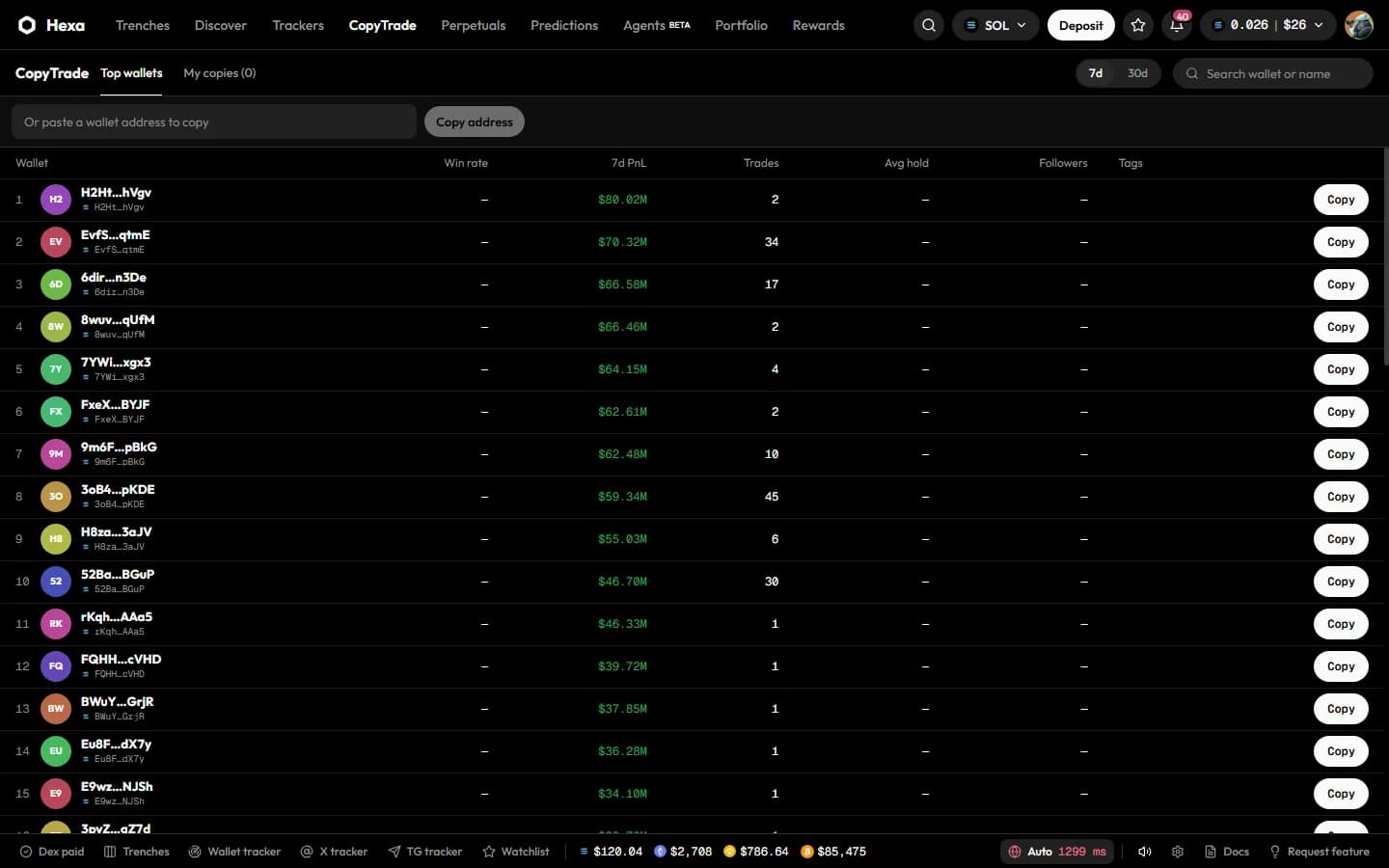
- Top wallets ranks Solana traders over 7d or 30d. Search by wallet or name, and press Copy on a row.
- Or paste any Solana address into Or paste a wallet address to copy and press Copy address. Token pages' Holders and Top traders tabs are a good place to find wallets worth following.
Set it up
| Setting | What it does |
|---|---|
| Fixed amount / Proportional | Buy the same amount every time (PER BUY, in SOL), or a multiple of the source's buy size (RATIO, up to 10×) |
| MAX POSITION | The most you'll hold in any one token through this copy, in SOL. Buys that would go above it are skipped |
| TP / SL | Take-profit and stop-loss, in % from your entry, placed after every copied buy. They sell your whole position and cancel each other |
| Mirror sells too | When the source sells, sell your position in that token |
| MEV protection (Jito bundles) | Send copied trades as Jito bundles |
| Dry run first | Watch the wallet without trading, to check the setup before you go live |
Press Start watching (dry run) or Start copying (live).
Going live
Grant a Copy session
In Settings → Automation · Session keys, choose Copy, set Max per trade, Daily cap and Expires in, and press Grant session. The session can only swap, within those caps.
Switch the copy to Live
On My copies, toggle the copy from Dry run to Live.
One session per wallet
Each wallet holds one session at a time. Granting a Copy session replaces an Orders session on the same wallet, which stops conditional orders from firing in live mode, and the other way round.
How copied trades behave
- Speed matters: a source trade more than 10 seconds old is skipped rather than chased.
- Buys are skipped, not forced, when they would exceed your max position or your per-trade cap, when the token's liquidity is unknown, or when the SOL price is unavailable.
- Sells close the whole position: when the source sells any part of a token, your copy sells all of yours in it (with Mirror sells too on).
- Copied trades use your P1 preset (slippage, priority fee and tip) and the copy's MEV setting, and pay the normal platform fee per trade.
- Auto-pause: after three failures in a row, the copy pauses and notifies you with the reason.
- Copying a wallet also tracks it, so it counts towards your tracker limit. You can copy each wallet once.
Manage your copies
My copies shows each copy with its status (Dry run, Live, Paused, Stopped), its trade count and its last error, plus totals for copies, armed (live) copies and trades today.
- Pause / resume with the play button.
- Stop with the trash button. A stopped copy can't be edited; create a new one to start again.
- Copied trades appear in Portfolio → Activity and as fill notifications like any other trade.